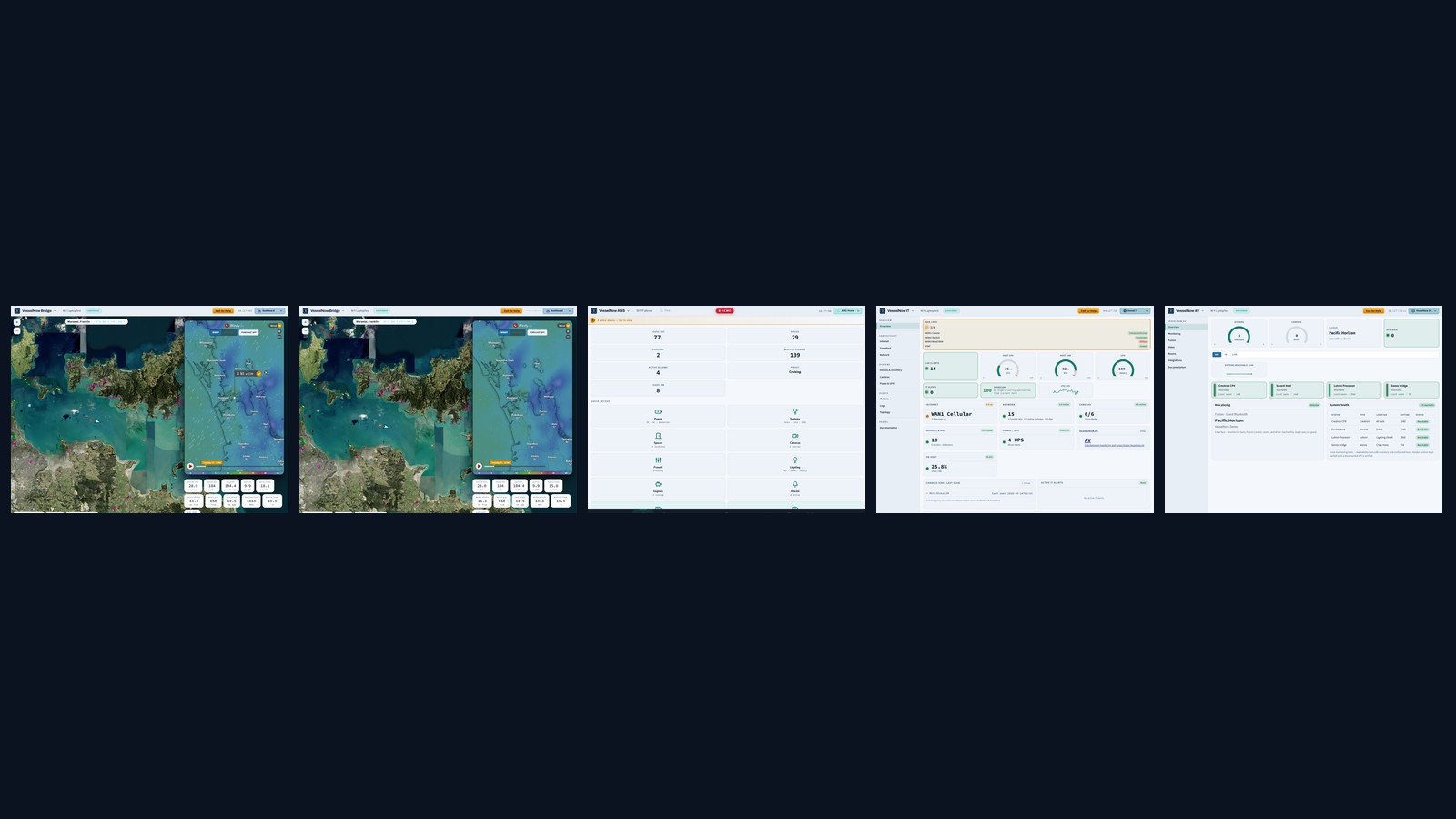
Live monitoring

The boat, right now — not five minutes ago.

Position, speed, heading, depth, tanks and battery, streamed straight from the instruments. The readouts move because the vessel does. Ashore, sign in at vesselnow.io for the Dashboard, members, and downloads. Remote into Vessel opens a live onboard client through the cloud — logins and changes are recorded.

  • One glance covers nav, power and tanks
  • Snapshots refresh on a 60-second cadence
  • Works onboard with no connection at all
M/Y Meridian · live
SOG
11.2kn
COG
047°
Depth
38.2m
House
86%
Wind
12kn
Sea
19°C
House battery86%
Fuel · port18%
Fleet map & history

Your whole fleet on one chart, back through time.

Every vessel as a live pin, colour-coded by status. Scrub back through 60 minutes, 24 hours, 7 days or 30 days to see exactly where a boat has been.

  • Tracks rendered from minute-bucketed history
  • Click any pin for live detail and a jump to the vessel
  • Filter by underway, anchored or in-alarm
Pacific Marine · 4 vessels
Charts & weather

GRIB, tides, and extra layers — situational, not a plotter.

The Bridge map can show GRIB wind, pressure, wave, and precip overlays (upload a file, or fetch when the vessel is online), extra basemaps (GEBCO, EMODnet, NOAA tiles), extra weather sources (Stormglass, Meteomatics, NOAA), and a tides overlay. This is crew situation awareness. VesselNow is not a certified chartplotter or ECDIS.

  • Toggle GRIB and tides on the Bridge map
  • Follow GPS, chart type, and Show on map — the same controls in the customer portal
  • Tides also appear on Navigation / Adventure
  • Not a navigation system — keep your plotter for that
Bridge map · GRIB / tides
Wind
14kn
Tide
Rising
GRIB
On
History & Wildlife Packs

Coastal stories, wildlife, and fishing — offline.

Near-encyclopedic Nature & History content: guest History themes, wildlife ecology, searchable fish catalogs, seasonality, and marine reserves. Dual licensed images, citations, and Guest vs Bridge depth. Works offline once the content pack is installed. Content Manager pulls Pacific, Australia, US, and Europe volume ZIPs — including extra Australia / New Zealand / Pacific places and Kiribati and Tuvalu packs. Refresh older packs to see new places and fish.

  • 150+ History corridors worldwide — theme layers (discovery, shipwrecks, ports, voyages…)
  • Wildlife + fish species with diet, habitat, seasonality, and dual images
  • Onboard QR, local-region click, and world wrap past the dateline
  • Volume installers: Pacific, Australia, US, Europe — Core stays slim
Guest History · Wildlife · Fishing

Install via Content Manager (USB or download). Extras covers drivers/CCTV only. Refresh older packs for new places.

Status Board

Bridge and engine situation — shared, with clear ownership.

Full-screen Bridge and Engine boards for declared vessel state, manning, PAX, and plant notes. Bridge edits the Bridge board; AMS edits Engine — each can view the other. Every change is searchable in the Audit Log. When FleetView is enabled, the same board uploads to vesselnow.io for a read-only shore view.

  • Live clock, SOG/HDG sync, and Changes history (device · time · field)
  • AMS Status nav opens the Engine board; Bridge stays view-only there
  • Portal Status Board — like-for-like remote view for entitled users (edit stays onboard)
Bridge · Engine · Audit
State
Underway
PAX
12
Engine
Green
VesselNow IT

Monitoring tools for the vessel network.

Included with Bridge: WAN (Starlink, Peplink, VSAT), UniFi and switch health, UISP and Teltonika read-only status, client usage, topology, SNMP UPS/PDU, host CPU, and IT alarms that follow the same acknowledge/history path as AMS. Shore-side, the portal has an AMS-style IT monitor. It is vessel IT monitoring — not a sold NMS overlay, and not entertainment.

  • Clients, DPI-lite from vendor APIs, optional NetFlow summary (off by default)
  • Time Machine IT sensors and Status Board IT page
  • FleetView IT monitor ashore when upload is enabled
VesselNow IT · WAN / LAN
WAN
Starlink
LAN
UniFi
Clients
42
VesselNow AV

Entertainment with a Guest face and a Crew face.

Included with Bridge: Crew monitoring tools (live Sonos / WiiM / Denon / Marantz status, processor health, rooms, driver reachability) plus Fusion stereo (writes stay gated until capture is verified). Guests get a simpler now-playing face. Shore-side, the portal has an AMS-style AV monitor. Crestron, RTI, and Lutron stay in the registry until a documented write API is verified. Vendor control does not run from the cloud. VesselNow IT is network monitoring tools — entertainment health is not on the IT page.

  • Logo switcher → VesselNow AV; guests open AV from the hub
  • Crew monitoring tools; Fusion writes stay gated until capture is verified
  • We integrate with Crestron/RTI — we do not replace them on day one
VesselNow AV · Fusion
Face
Crew
Fusion
Now playing
Writes
Gated
Guest infotainment

Salon and cabin screens without the bridge clutter.

Included with Bridge: a filtered guest hub for route, programme, crew, dining, tenders, galleries, and History — never engineering or admin. Share on LAN Wi‑Fi or via secure guest links and QR codes.

  • Apple TV app for salon displays
  • Cloud Guest Services editor at vesselnow.io
  • Demo Mode for sales walkthroughs with synthetic live data
Guest hub · salon
ETA
14:20
SOG
9.4kn
Next
Dinner
History
Nearby
Alarms & notifications

Told the moment it matters — and no sooner.

Thresholds on any value, evaluated as data arrives. Debounce and cooldown keep a flapping sensor from burying you, and every alert says exactly where it came from.

  • Email and mobile push, per vessel and recipient
  • Source labels: Cerbo, PLC, VN-Core or Victron
  • Acknowledge and track state across the fleet
Active alarms
Bilge pump highPLC
Fuel level lowVictron
Left geofenceGeo
Vessel reconnectedVN-Core
Zones (onboard)

Anchor watch and zones stay on the vessel.

Circles and polygons are evaluated onboard — not as a cloud zone editor on this website yet. Use them for anchor watch and restricted areas on the boat; alarms can still reach you ashore.

  • Onboard entry and exit evaluation
  • Anchor-watch with a configurable swing radius
  • Shore alerts when FleetView upload is enabled
Anchor watch · S/Y Halcyon
NMEA decoding

It speaks the language your instruments already do.

NMEA 0183, NMEA 2000 and AIS, decoded onboard. VesselNow connects to the bus you've already got — Furuno, B&G, Garmin — rather than asking you to replace it. Bridge charts are situational only: VesselNow is not a navigation system, plotter, or ECDIS.

  • Standard PGNs decoded into clean telemetry
  • AIS targets tracked alongside your own vessel
  • No new wiring — it taps the existing backbone
NMEA 2000 · live decode
# PGN 129025 — Position, Rapid
lat: -36.84021  lon: 174.61835
# PGN 128267 — Water Depth
depth: 38.2 m
# PGN 127488 — Engine Rapid
rpm: 1240  load: 64%
# AIS 18 — Class B Position
mmsi: 512004221  sog: 9.4
Victron & power

Battery, solar and tanks, straight from the Cerbo.

VesselNow pulls Victron telemetry over MQTT and Modbus, so state of charge, solar yield and every tank level land in the same live view as your nav data.

  • Cerbo GX integration via Signal K or direct
  • Thresholds on SoC, tank levels and temperatures
  • A CerboGX can raise alerts on its own token
Victron Cerbo GX · power
House SoC86%
Solar input2.4 kW
Fresh water71%
Fuel · port18%
Black water22%
Open API

Token-scoped, spoof-proof, built to integrate.

VN-Core streams to the cloud over a clean REST surface. Vessel identity always comes from the token, never the request body — so a vessel can only ever report as itself.

  • FleetView tokens scope every request to one vessel
  • Endpoints for history, alerts and telemetry ingest
  • Admin endpoints lockable to your office IP
REST · ingest
POST /fleetview/history/ingest
Authorization: Bearer fv_••••8a2c

{
  "sog": 11.2,
  "cog": 47,
  "lat": -36.84021,
  "lon": 174.61835
}
# vessel resolved from token ✓

Your Vessel. Right Now.

Start a free trial on a single vessel and have it live on the map this afternoon.